From Spreadsheets to Source of Truth: Building a Home-Lab IPAM with NetBox
Why I Needed an IP Address Tracker
A growing homelab does not become difficult because it has one complicated service. It becomes difficult because it has lots of small, important details spread across routers, Docker containers, virtual machines, access points, DNS records, notes, browser bookmarks, and memory.
At first, remembering addresses was manageable. I knew where the NAS lived, where Pi-hole was running, and which device was hosting a particular service. But the home network has gradually become a much bigger environment
:•An Unraid server hosting containers and storage
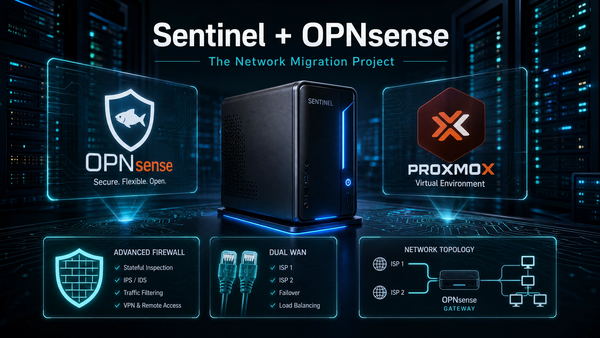
•A Proxmox host running OPNsense and supporting services
•Multiple wireless access points
•Separate general, IoT, guest, management, and infrastructure networks
•Cloudflare Tunnels and reverse-proxied services
•Static infrastructure addresses alongside DHCP clients
•Projects such as Ghost, Nextcloud, Immich, NetBox, Pi-hole, and monitoring tools
At that point, an IP address is not just a number. It is context:
What is this device? Who owns it? Which VLAN is it on? Is it safe to move? What relies on it? Is it still active?That is where NetBox comes in.
What Is NetBox?
NetBox is an open-source infrastructure resource modelling and IP address management platform. In simple terms, it gives me one place to document the network properly.
It can track far more than IP addresses, including:
•Prefixes, VLANs, IP ranges, and address assignments
•Devices, virtual machines, and interfaces
•Racks, sites, cables, and physical connections
•Services and ports•Tenants, roles, tags, and custom fields
•Circuit and provider information
I am using it first and foremost as a practical IP address management (IPAM) tool. Rather than treating it as a giant enterprise system that has to be completed in one weekend, I am building the documentation gradually as part of each project.
That makes it useful immediately.
The Goal: A Single Source of Truth
The aim is not to replace every dashboard or automate every change from day one. The goal is simpler:
Before I change a network setting, move a service, create a VLAN, or assign an address, I should be able to check NetBox and understand the current state.
For my homelab, that means NetBox should answer questions such as:
•Which address is assigned to the Unraid server?
•Which IP is reserved for Nginx Proxy Manager?
•What address should Ghost use after moving the reverse proxy to Sentinel?•Which subnet is intended for infrastructure devices?
•Is an address already in use before I give it to a new container?
•Which services are running on the Proxmox host versus Unraid?
•Which devices belong on the management, IoT, guest, or general LAN?
That last point matters. A consistent IP plan makes troubleshooting less stressful, especially when a change affects a house full of devices.
Starting with the Infrastructure Addresses
The first entries in NetBox were the services I rely on the most. These are the systems that form the foundation of the homelab:
Role | Example asset | Why it matters |
NAS / Docker host | Cyborg (Unraid) | Storage, containers, backups, and core self-hosted services |
Virtualisation host | Sentinel (Proxmox VE) | Hosts OPNsense, NPM, NetBox, and virtual infrastructure |
Firewall | OPNsense | Future routing, gateway groups, segmentation, and visibility |
Reverse proxy | Nginx Proxy Manager | Publishes selected internal services safely through Cloudflare Tunnel |
Documentation platform | NetBox | Tracks infrastructure, addresses, roles, and future design decisions |
Wireless infrastructure | Access points | Provides consistent coverage for household, IoT, and guest devices |
This gives me an immediate map of the important services rather than a list of anonymous addresses.A useful habit is to add a clear description every time an address is documented. For example, instead of writing only “server”, the description should explain the service and its purpose:
•Cyborg / Unraid — Docker host and persistent storage
•Sentinel / Proxmox — Edge virtualisation host
•Nginx Proxy Manager — Reverse proxy for tunnel-published services
•Ghost — Cyborg Security portfolio blog
That extra context is invaluable a few months later when a project has moved on and memory has faded.
Documenting the Network Before Making Changes
One of the biggest lessons from my OPNsense migration work has been this:
Do not rely on memory when changing network infrastructure.
During a quiet, stable period, it is easy to think that a network topology is obvious. But during an outage, when devices are offline and people are waiting for the internet to return, that is exactly when small assumptions become expensive.
NetBox provides a place to record the intended design before changing anything:
•Infrastructure network and reserved service addresses
•General household LAN range
•IoT network range
•Guest network range
•Management network range
•Firewall and gateway addresses
•Static DHCP reservations and important exceptions
•Which access points carry which SSIDs and VLANs
This does not automatically configure the network. It does something more fundamental: it creates a reference point for decisions and troubleshooting.
Using Roles, Status and Descriptions Properly
An IP tracker becomes genuinely useful when it does more than answer “what address is this?”I use a few simple principles:
1. Give every important address a meaningful role
An address should be identified by what it does, not only by where it sits.
Typical roles include:
•Infrastructure
•Hypervisor
•Firewall
•Reverse proxy
•Storage
•Monitoring
•DNS filtering
•Container service
•Wireless access point
•Management interface
2. Keep status accurate
NetBox can show whether an address is active, reserved, deprecated, or otherwise allocated. This helps prevent the most annoying kind of mistake: choosing an address that looked free but was already reserved for something important.
3. Use descriptions as future documentation
A short description should include enough detail for future-me to understand the service without logging in to three different systems.
For example:
Ghost blog — published through Sentinel NPM and Cloudflare Tunnel
That single line captures the service, its purpose, and its route through the environment.
A Real Example: Moving the Blog to a Dedicated Address
The Ghost blog is a good example of why IPAM has immediate value.
The blog itself runs on my Unraid Docker host, while Nginx Proxy Manager now runs separately on Sentinel. That is a cleaner setup than the old design, where the proxy had to be manually attached to a Docker-only network after startup.
With the new approach, Ghost has a dedicated LAN address and Nginx Proxy Manager forwards the public blog hostname to it.
The route is now conceptually simple:
Internet visitor
→ Cloudflare
→ Cloudflare Tunnel
→ Nginx Proxy Manager on Sentinel
→ Ghost on its dedicated LAN address
→ MySQL on a private Docker-only network
NetBox is where that dedicated address can be reserved and described before another service accidentally claims it. It also makes the relationship between the proxy, host, application, and private database network much easier to understand later.
This is exactly the sort of change where good documentation reduces pressure. Instead of hunting through old terminal history, I can check the IPAM record and see the intended role of the address.
What NetBox Is Not Doing Yet
It is important to be realistic. NetBox is not currently the system that pushes firewall rules, provisions VLANs, or automatically edits DHCP scopes in my environment.For now, it is a source of truth and planning tool, not an automation platform.That is deliberate. The network has been through enough changes recently, and stability is more important than trying to automate everything at once.
Once the OPNsense migration is fully stable, there are some natural next steps:
•Document every VLAN and its intended security boundary
•Add gateways, firewall interfaces, and WAN links
•Model the Proxmox host and virtual machines in more detail
•Track access-point uplinks and SSID/VLAN mappings
•Record key Docker-published services and ports
•Create a clean diagram of the home network
•Use custom fields to track backup status, owner, or service criticality
•Explore safe automation later, using NetBox as the authoritative inventory
The important thing is that NetBox grows with the network rather than becoming another unfinished project.
A Practical Workflow That Works for Me
My rule going forward is simple:
1.Check NetBox before assigning an address
.2.Reserve and document the address before deploying the service.
3.Add a role and description while the purpose is fresh in my mind.
4.Update the record when the service moves, is retired, or changes network.
5.Use the records as part of the change plan before touching routing, DHCP, or firewall settings.
That last step is especially valuable for family networks. A short maintenance task can quickly become stressful if a device, DNS service, or DHCP scope has been overlooked. Accurate IPAM turns unknowns into a checklist.
Why This Matters for a Home Lab
It is easy to think that proper IP address management is only for large companies. But the moment a home network includes multiple subnets, servers, remote access, reverse proxies, smart-home devices, and security boundaries, the same principles apply.
The scale is smaller, but the consequences are still real:
•A conflicting address can break a service.
•An undocumented static assignment can create an outage later.
•A forgotten VLAN rule can isolate the wrong devices.
•A missing DNS record can make a healthy service appear offline.
•An unclear change plan can turn a simple task into a late-night recovery.
NetBox helps bring structure to that complexity.For me, it is another step towards a homelab that is not only more capable, but also more understandable, maintainable, and reliable for everyone who depends on it.
Next Steps
My next NetBox tasks will be to document the remaining network prefixes, make the infrastructure reservation list complete, and map the relationship between the ASUS access points, future OPNsense VLANs, and the household IoT and guest networks.After that, NetBox should become the design reference for the final OPNsense routing and DHCP migration—completed in small, reversible steps rather than one high-pressure cutover.
The homelab is still evolving, but at least the network no longer has to live only in my head.