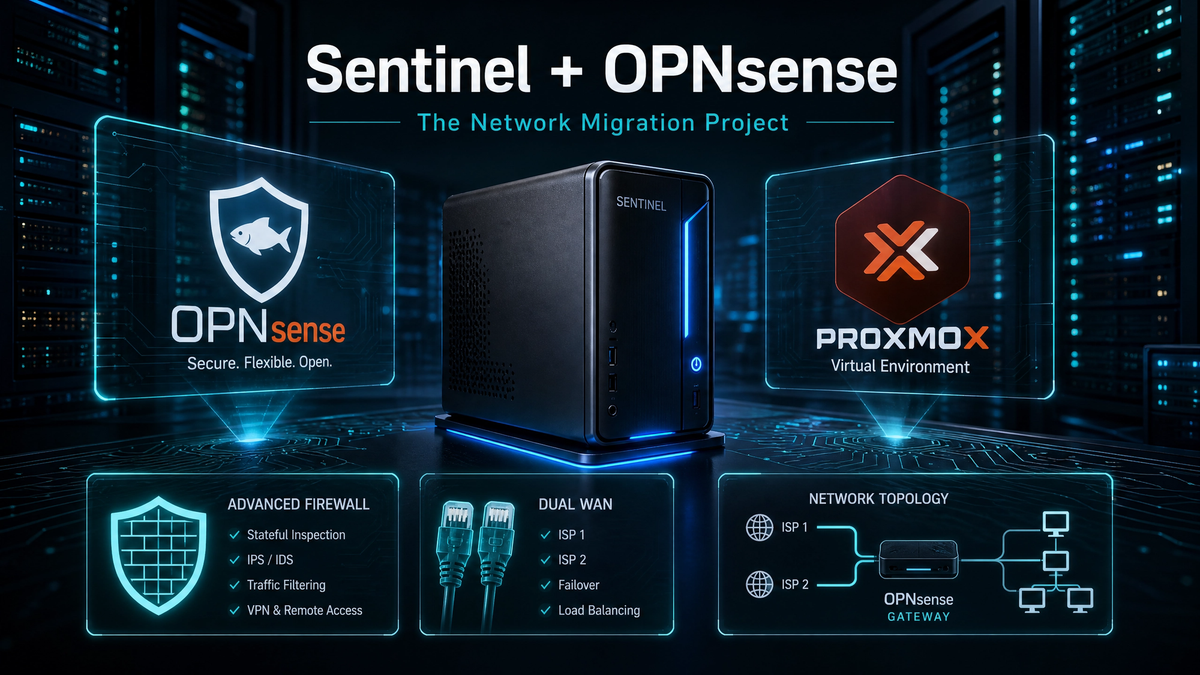
Sentinel + OPNsense: The Network Migration Project
By Anthony Booth — August 2026
Why This Project Happened
My home network has been evolving for years. What started as a basic setup with parental controls has grown into a full homelab featuring VLANs, dual-WAN connectivity, Cloudflare Tunnels, Pi-hole DNS filtering, NAS containers, and a steadily expanding list of self-hosted services. However, one critical component remained unchanged: routing was still being handled by consumer-grade hardware. The ASUS AX86U has been a brilliant piece of kit, but it simply wasn't designed for the advanced requirements of a modern homelab. Specifically, it lacks native support for multi-WAN routing, gateway groups, Intrusion Detection and Prevention Systems (IDS/IPS), proper network segmentation, high-visibility logging, and advanced firewall rules.It was time to move the network's "brain" to something purpose-built. Enter OPNsense, running on my Proxmox host, Sentinel.
The Goal
The objective was to build a stable, resilient, dual-WAN firewall that achieves the following:
•Keeps the family safe online
•Keeps the homelab predictable and stable
•Provides proper routing and network segmentation
•Gives me full visibility into network traffic
•Allows for future upgrades (such as VLANs, WireGuard VPN, and IDS/IPS)
•Replaces the ASUS router's routing duties cleanly. Crucially, all of this had to be accomplished without breaking the house network during the transition.
The Hardware Setup
Sentinel (Proxmox VE)
•3× NICs mapped directly to the OPNsense VM:
•vtnet0 → LAN
•vtnet1 → VMO2 (Virgin Media - Primary ISP)
•vtnet2 → UW (Secondary ISP)
•OPNsense VM running on dedicated CPU cores for optimal performance.
ASUS AX86U + AC68U
•Still acting as the main router during the migration phase.
•Providing AiMesh for whole-home Wi-Fi coverage.
•Will later be switched to Access Point (AP) Mode only.
IP Structure
The network is segmented into predictable subnets, though currently limited by consumer routing capabilities:
•Infrastructure: 192.168.31.x
•General LAN: 192.168.30.x
•IoT Devices: 192.168.50.x
•Guest Network: 192.168.60.x
•Management: 192.168.10.x
The Migration Plan
The migration plan was intentionally slow and controlled to avoid disruption:
1.Deploy OPNsense on Sentinel
2. Map NICs correctly in Proxmox. Bring the LAN interface online
4. Keep the ASUS AX86U as the primary router (for now)
5.Bring WAN connections online one at a time.
6. Validate routing tables
7. Build gateway groups for failover
8. Migrate DHCP services9.Switch the ASUS AX86U to AP Mode10. Execute the final cutover. No big-bang changes. No downtime for the family.
The Chaos Moment (What Went Wrong)
During early testing, OPNsense briefly became the default gateway before the WAN interfaces were fully ready. This caused a cascade of issues:
•Split-brain routing across the network
•Devices rapidly flipping between the ASUS router and OPNsense
•Alexa devices going half-offline
•Pi-hole losing its upstream DNS connection
•Stale DHCP leases causing IP conflicts
•The gateway forcing traffic via HOUSE_WAN incorrectly
•NAT inconsistencies. It was the perfect storm. However, once the LAN firewall rule was corrected (specifically, removing the forced gateway setting), stability returned immediately.
Bringing WANs Online (Properly This Time)
VMO2 WAN (vtnet1)
After a modem reboot (Virgin Media locks connections to MAC addresses), OPNsense immediately pulled a public IP. WAN #1 is now fully operational.
UW WAN (vtnet2)
Currently showing a stale lease from earlier testing. This is expected behaviour as nothing is physically plugged in yet. Once reconnected, it will refresh automatically.
Current State (Stable + Ready)
The network is currently in a perfect staging point before the final migration:
•Sentinel is back in its physical location
•The LAN is stable•VMO2 WAN is online
•UW WAN is ready for connection
•The ASUS AX86U is still handling DHCP
•OPNsense is inline but passive
•No routing loops
•No dpinger chaos
•No packet loss
•Zero family downtime
Next Steps
1.Reconnect UW WAN: Refresh DHCP and confirm dpinger status.2.Build Gateway Groups: Configure Tier 1 / Tier
2 priority, failover, and optional load-balancing.
3.Migrate DHCP: Move DHCP services from the ASUS router to OPNsense for a clean cutover with zero downtime.
4.Switch AX to AP Mode: Wi-Fi stays exactly the same, but routing moves entirely to OPNsense.
5.Optional: Bring Pi-hole back online now that routing is stable.
Where This Is Going
This project isn't just about replacing a router. It's about continuing the mission I started years ago: keeping the network safe, reliable, and predictable for my boys, while building a homelab that grows with my skills.OPNsense is the next chapter. Stay tuned for Part 2, where we tackle Gateway Groups and the final DHCP migration.